 Monitoring
Save 34% Trial
 Email Delivery
NexServer
Turn a fresh VPS into a working mail server — install, DNS and verification in one run
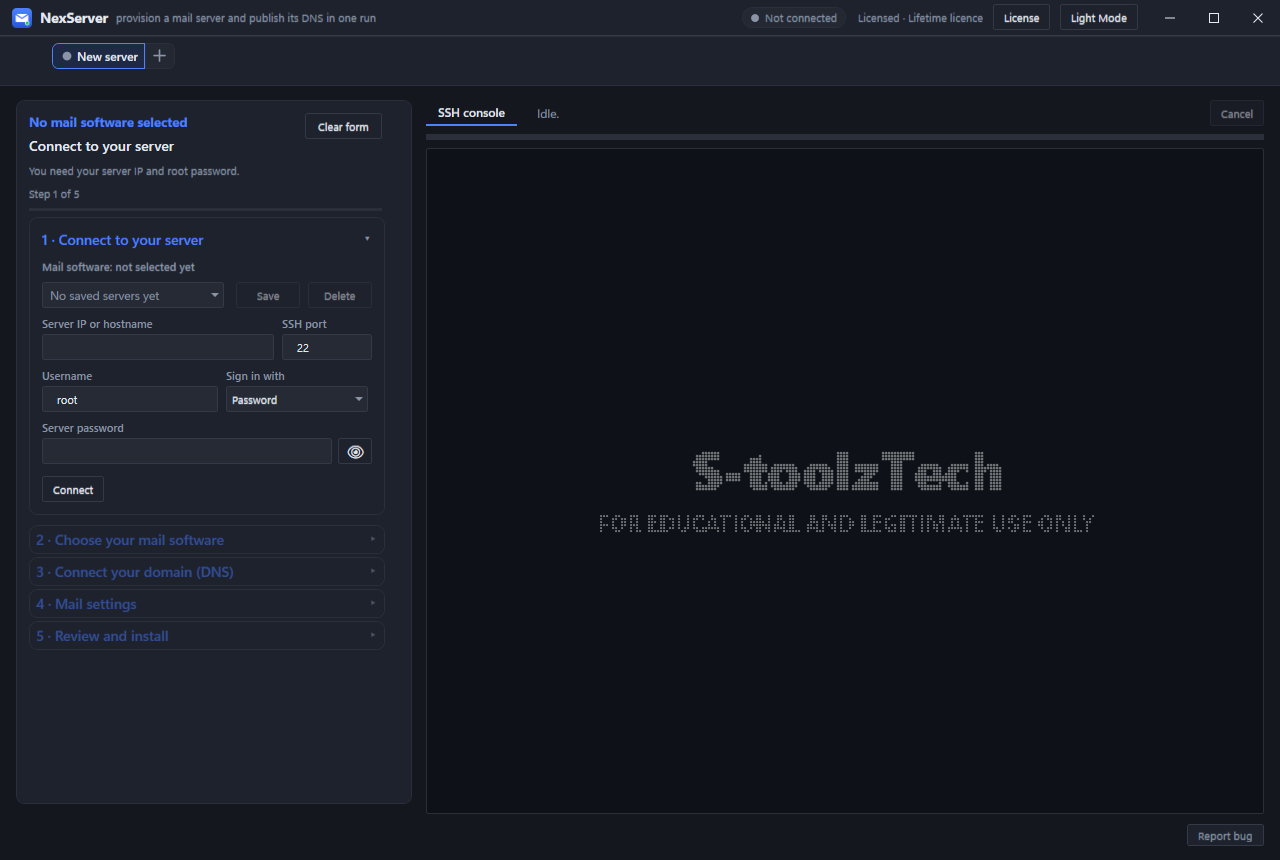
NexServer turns a fresh VPS or dedicated server into a working mail-sending machine. It connects over SSH, installs and configures the mail stack you choose, publishes DNS and verifies the result — without hand-editing config files.
WHAT IT DOES
• Connect with root/password or key, probe the server and check port 25 readiness.
• Choose from supported mail stacks: mailcow, iRedMail, Mail-in-a-Box, Mailu, Postfix/Dovecot, Postal, Exim, Haraka, Modoboa, Virtualmin, ISPConfig, Hestia, OpenSMTPD, Kumomta and more.
• Install and configure the stack, control panel and TLS certificates automatically.
• Publish DNS records through Cloudflare: A, MX, SPF, DKIM, DMARC, PTR guidance and MTA-STS where supported.
• Verify DNS, ports, rDNS, blacklists and SMTP responses before handing over.
• Manage saved servers, multiple server tabs and fleet deployments.
DELIVERY AND REPUTATION
• Per-stack sender limits, SMTP credentials and admin panel credentials.
• DKIM key generation and selector management.
• Blacklist checks, SPF/DKIM/DMARC validation and mail-flow tests.
• SSL/TXT record checks and renewal guidance.
• Built-in SSH console and live deployment log.
OPERATIONS
• Repeatable installers with cleanup of older NexServer components.
• Server profiles, credentials and domain settings stored locally.
• One server per licence; move the seat with Release this PC.
REQUIREMENTS
• Windows 10/11 x64.
• A fresh VPS or dedicated server, Ubuntu or Debian recommended, with root SSH.
• Optional Cloudflare account for automatic DNS.
• Port 25 open with your provider.
WHAT IT DOES
• Connect with root/password or key, probe the server and check port 25 readiness.
• Choose from supported mail stacks: mailcow, iRedMail, Mail-in-a-Box, Mailu, Postfix/Dovecot, Postal, Exim, Haraka, Modoboa, Virtualmin, ISPConfig, Hestia, OpenSMTPD, Kumomta and more.
• Install and configure the stack, control panel and TLS certificates automatically.
• Publish DNS records through Cloudflare: A, MX, SPF, DKIM, DMARC, PTR guidance and MTA-STS where supported.
• Verify DNS, ports, rDNS, blacklists and SMTP responses before handing over.
• Manage saved servers, multiple server tabs and fleet deployments.
DELIVERY AND REPUTATION
• Per-stack sender limits, SMTP credentials and admin panel credentials.
• DKIM key generation and selector management.
• Blacklist checks, SPF/DKIM/DMARC validation and mail-flow tests.
• SSL/TXT record checks and renewal guidance.
• Built-in SSH console and live deployment log.
OPERATIONS
• Repeatable installers with cleanup of older NexServer components.
• Server profiles, credentials and domain settings stored locally.
• One server per licence; move the seat with Release this PC.
REQUIREMENTS
• Windows 10/11 x64.
• A fresh VPS or dedicated server, Ubuntu or Debian recommended, with root SSH.
• Optional Cloudflare account for automatic DNS.
• Port 25 open with your provider.
Lifetime licenceOne machine per key, yours to keep.
Instant deliveryKey + download released after payment.
Windows desktopWindows 10/11, 64-bit.
Direct supportTalk to the person who builds it.
Also from the store
All apps
Pairs well with NexServer
Monitoring
Save 34% Trial